Markdown Management
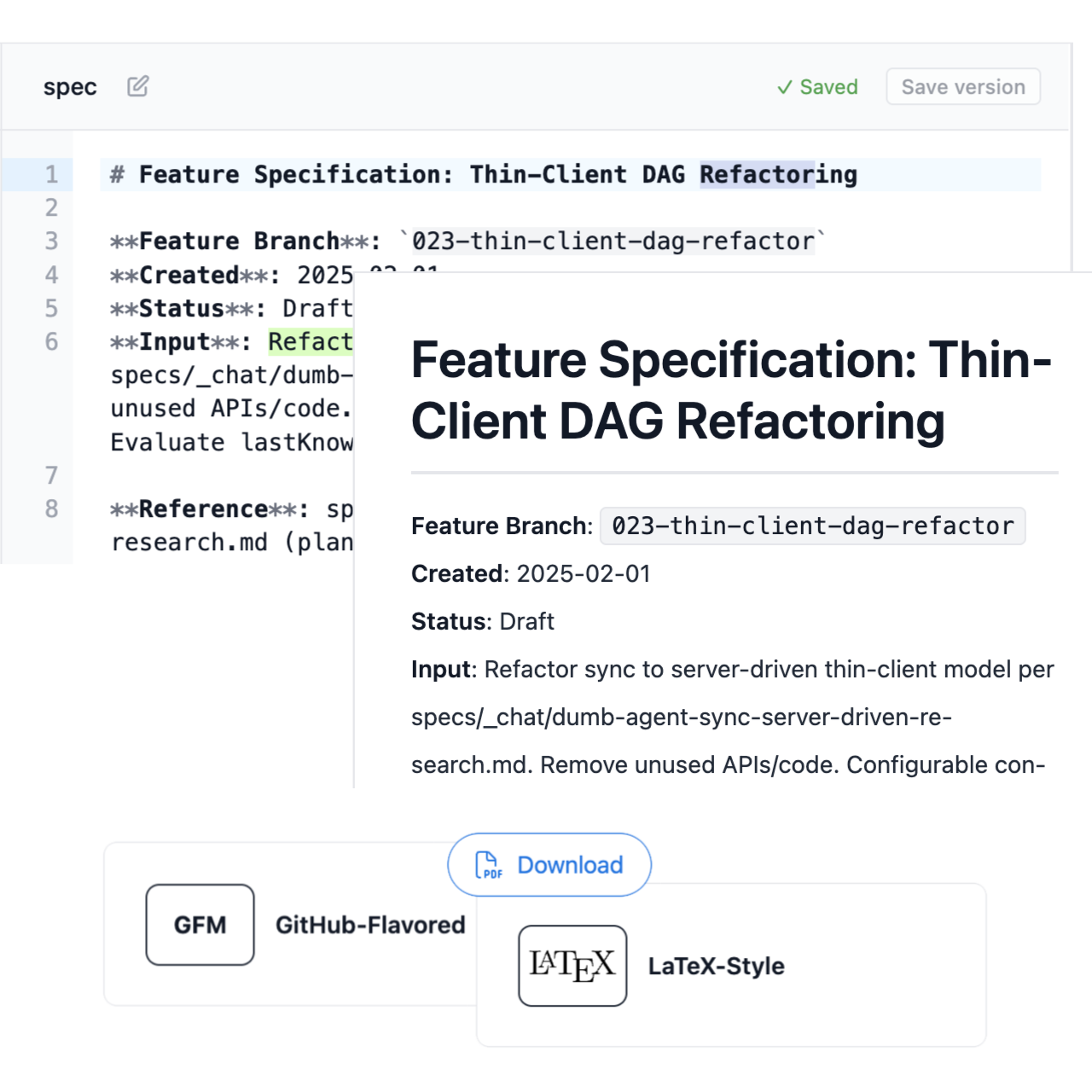
Markdown is the interface. Edit in the web app or in your IDE; changes sync both ways. Export to PDF, share read-only links, and rely on automatic versioning. No special tools—just Markdown.
Key Features
Edit Locally or in the App
✓
Same Markdown in both places
Sync keeps web and local in lockstep. Edit where you prefer—IDE or web app.
✓
Web editor with live preview
GitHub Flavored Markdown, split view. See rendered output as you type.
✓
Local edit via sync
Edit in your IDE; sync script pushes to web. One command—bidirectional.
✓
Auto-save
Debounced save on edit. No manual save button—changes are captured as you work.
PDF Export and Sharing
✓
Turn specs into PDFs
Export any document to PDF. Always generated from the latest version—no stale exports.
✓
Share read-only links
Token-based share links. Clients and stakeholders view the latest—no login required.
✓
PDF styles: GitHub, LaTeX
Choose styling—clean GitHub look or formal LaTeX. Print-ready output.
✓
Try before you sign up
Anonymous markdown-to-PDF demo. Edit, export—see how it works with no account.
Automatic Versioning
✓
Every save creates a version
DAG versioning—no manual snapshots. Compare any two versions, restore any previous state.
✓
Optimistic concurrency
baseVersionId prevents overwrites. Concurrent edits create branches—resolve in the web app.
✓
Both versions preserved
On conflict, both versions are kept. Merge or choose—no lost work.
✓
Version history without thinking
No git commands, no manual versioning. It just works in the background.
Document Management
✓
Document tree
Folders, documents, hierarchy in the sidebar. Organize specs the way you think.
✓
Full lifecycle
New document, rename, soft delete. Document recovery—deleted docs are recoverable.
✓
Configurable specs folder
Any folder name—specs, openspec, docs. Fits your project layout.
✓
No special tools
Plain Markdown. Edit anywhere, sync, version—no lock-in to proprietary formats.
Use Cases
Editing specs in IDE or web app—your choice
Same Markdown in both places. Sync keeps them aligned. Work where you're most productive.
Exporting specs to PDF for stakeholders
Turn any spec into a professional PDF. Share read-only links—always from the latest version.
Sharing read-only links with clients or team
Token-based sharing. No login required. Recipients see the current content.
Version history without thinking about it
Every edit is versioned. Compare, restore—automatic. No manual versioning workflow.