Living Specifications
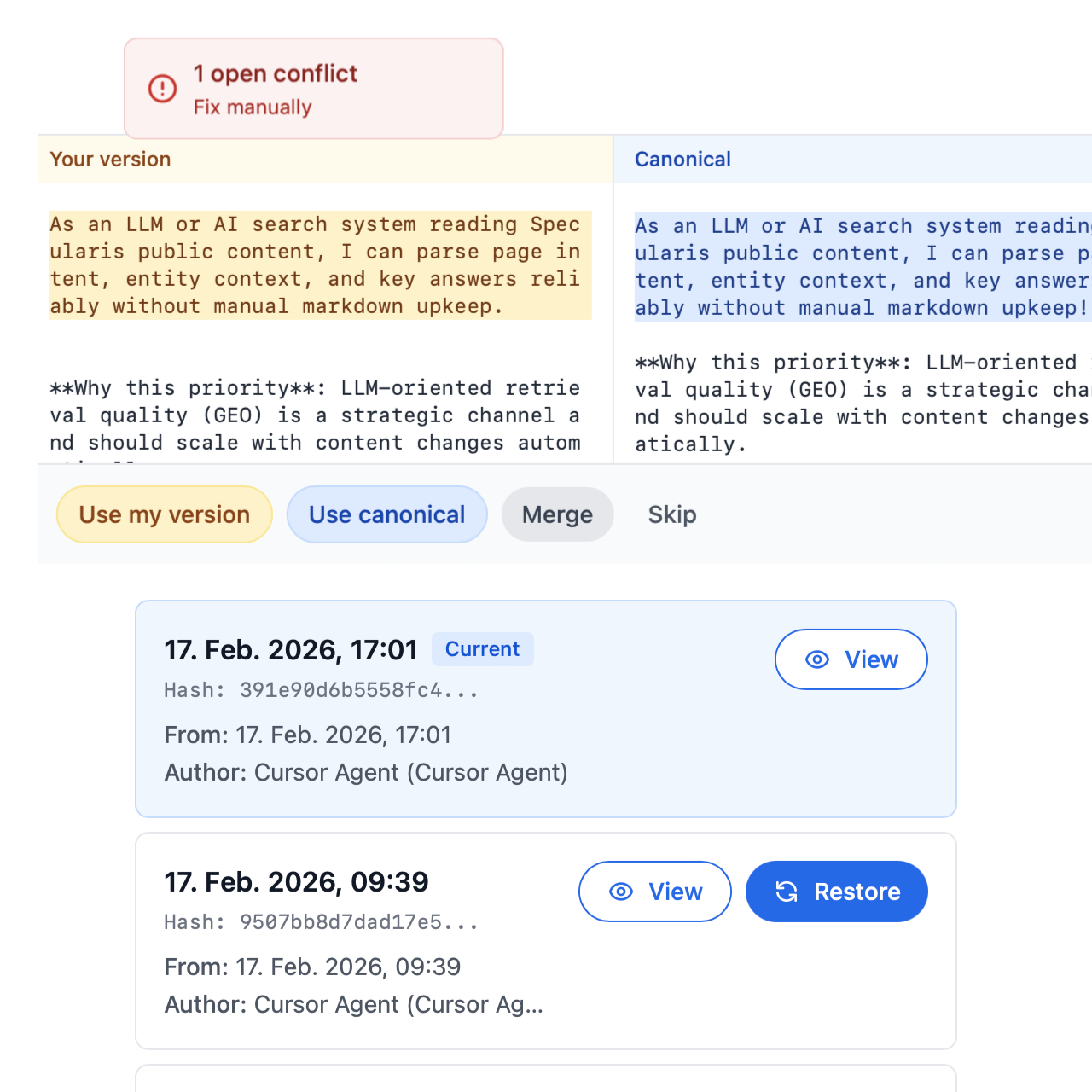
Every edit creates a new version. Browse, compare, and restore any state. See who changed what—you, your agent, or the system. Specs evolve with your code, with full provenance.
Key Features
Full Version History
✓
Browse every version
Every change is stored. Compare any two versions side-by-side, or restore any previous state. No lost work, even after agent edits.
✓
One-click restore
Revert to any previous version with a single action. Preview before you restore, so you know exactly what you're bringing back.
✓
History in the web app
View versions, compare, and restore from the document history modal. No need to leave the editor or dig through files.
✓
Smart retention
Recent versions are always available. Older history is pruned to keep storage lean while preserving what matters.
Clear Attribution
✓
You vs. agent vs. system
Each version shows who made the change. The list displays "You," "Agent," or "System"—so you always know the provenance.
✓
Track agent modifications
See exactly which changes came from your agent. Review before you accept, or restore if something goes wrong.
✓
Audit-ready
Full attribution for every change. Useful for compliance, code reviews, and understanding how specs evolved.
✓
When and who
Timestamps and author labels on every version. Scroll through history and see the full story of your document.
Evolution & Continuity
✓
Sync keeps specs current
Web and local stay aligned via sync. Edits in either place become versions—no drift, no stale copies.
✓
No overwrites
Concurrent edits create branches instead of overwriting. Both versions stay—merge or choose when you're ready.
✓
Recoverable deletes
Deleted documents can be restored. Sync removes them from local, but you can bring them back from the web app if needed.
✓
Specs that evolve
Specs grow with your project. Every change is versioned—compare over time, see trends, and never lose context.
Use Cases
Reviewing changes over time
See how your document evolved and who contributed. Full provenance for every version—human and agent.
Reverting unwanted changes
Quickly restore a previous version if needed. Works for your edits and for agent edits—one click to roll back.
Tracking agent modifications
Monitor what changes AI agents made to your specs. Clear attribution, easy restore when something isn't right.
Audit trails for compliance
Maintain complete records of all document changes. Who, when, and what—always traceable.